
Free · iPhone, iPad & Mac
AI-native Notes for iOS and Mac
Bulguritto keeps every note as plain Markdown and syncs it across your devices — a notes app built for the era where you are not the only one who has to read your notes.
Free. No subscription, no ads, no account required.
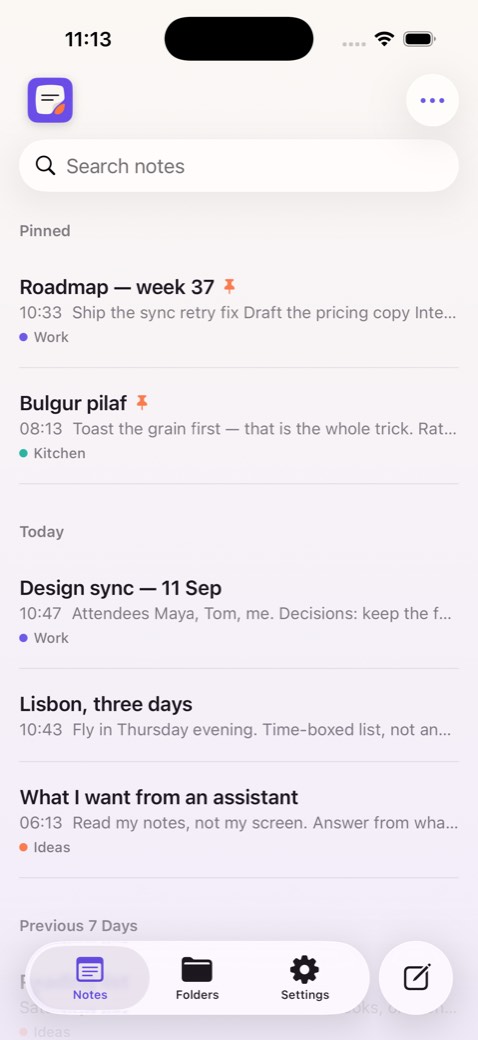
Built like a notes app should be
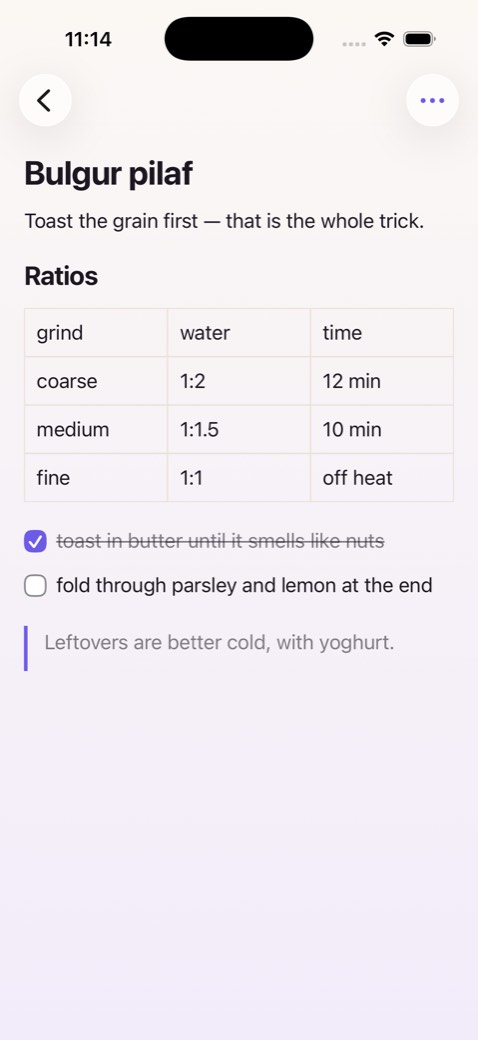
Markdown all the way down
Every note is stored as a plain Markdown document — not exported to one on request. That is what makes it legible to a model, and portable to everything else you use.
Syncs across your devices
Sign in with Apple and your notes, images and attachments follow you between iPhone, iPad and Mac. Sign out and every one of them still works on its own.
A native Mac app
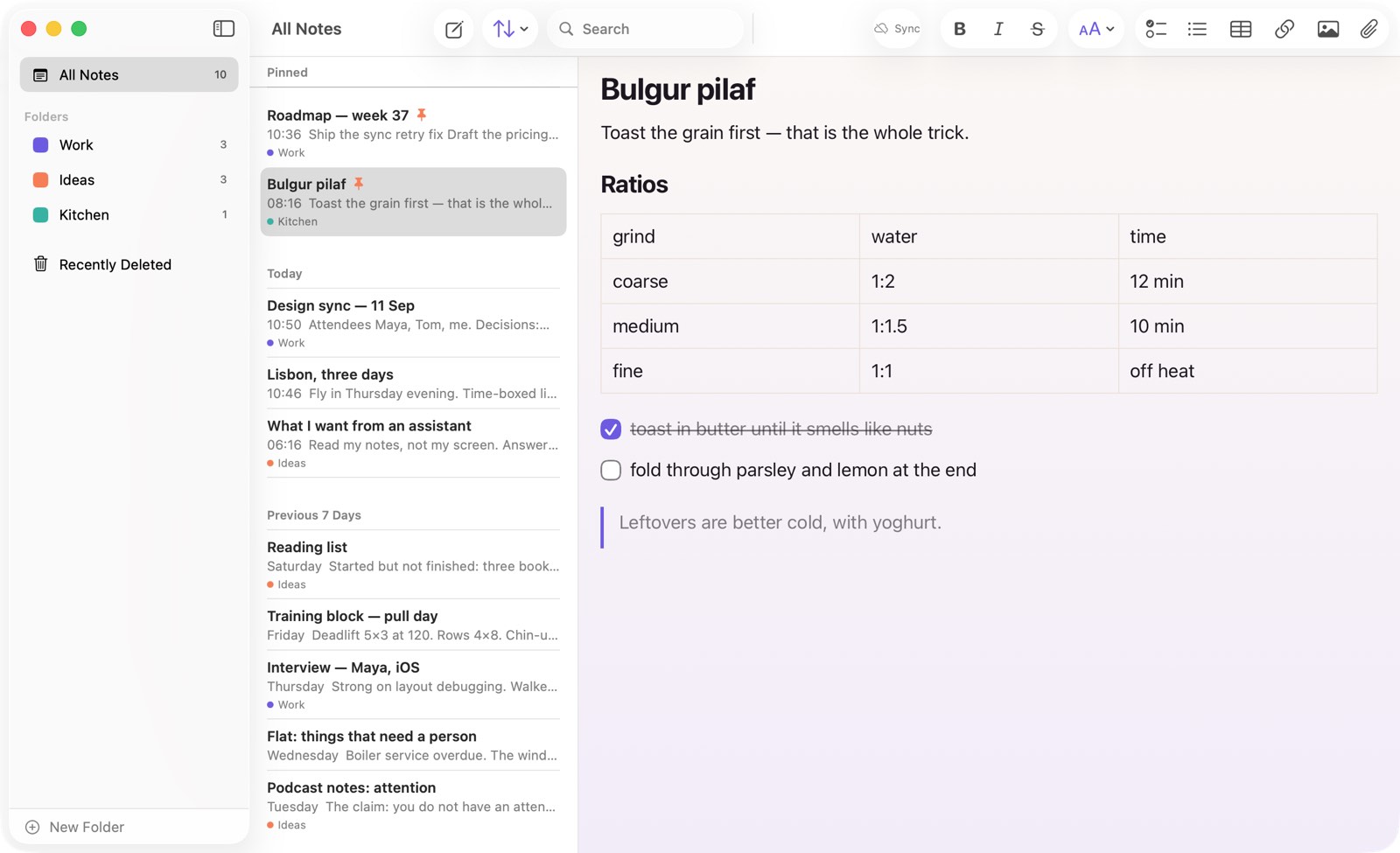
Not a wrapper around the phone app. Three-column split view, a real menu bar, keyboard shortcuts, drag a note into a folder, export to PDF.
A real editor
Headings, checklists, editable tables, photos, PDFs and file attachments, dictation, and link previews for bare URLs. Rich where it helps, plain text underneath.
Folders, search, patient trash
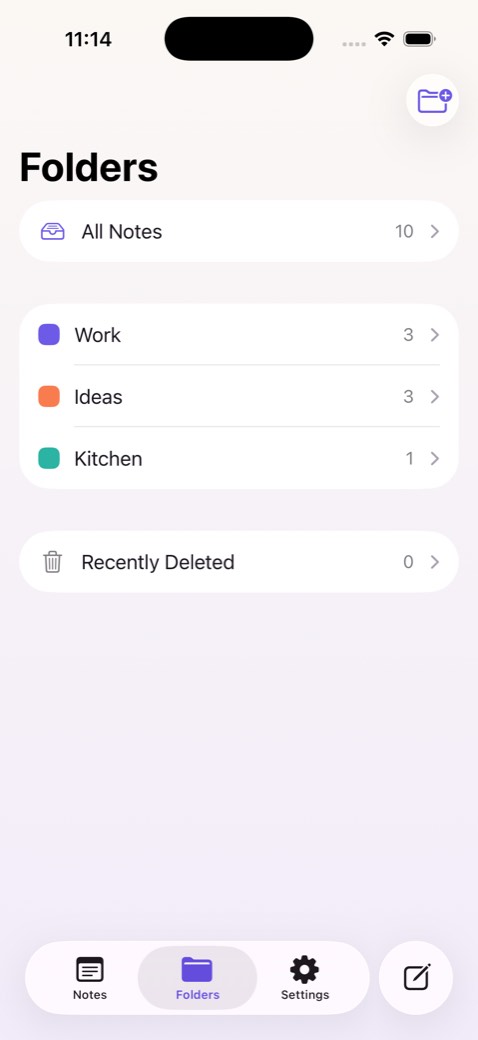
Pull down to search, organise into coloured folders, recover anything for 30 days. Deleting a folder never deletes the notes inside it.
Private by default
No ads, no trackers, no analytics. Nothing you write is sent anywhere to be scored, summarised, or trained on — the sync is yours and that is the whole of it.
On the Mac
The same notes, in a real Mac app.
Folders, list and editor side by side, with the menu bar and keyboard shortcuts you would expect. Write on the Mac, pick it up on the phone a second later.
What AI-native means here
Not a chat box bolted to the sidebar — a format your assistant already reads.
Most notes apps keep your writing in a private database and hand you an export button, which is exactly the wrong shape for working with AI. Bulguritto stores Markdown and derives everything else from it, so a note can be pasted into a prompt, handed to a model, diffed or scripted with nothing in between.
An MCP server — so your own agents can read and write your notes directly — is what comes next. Everything above ships today.
Start a note. Keep the file.
Free on iPhone, iPad and Mac. Nothing to sign up for, and nothing that traps a single line of what you write.
Coming to the App Store